
Overview
A SuperPlane app is a workspace where you design and run long-lived, event-driven software engineering workflows.
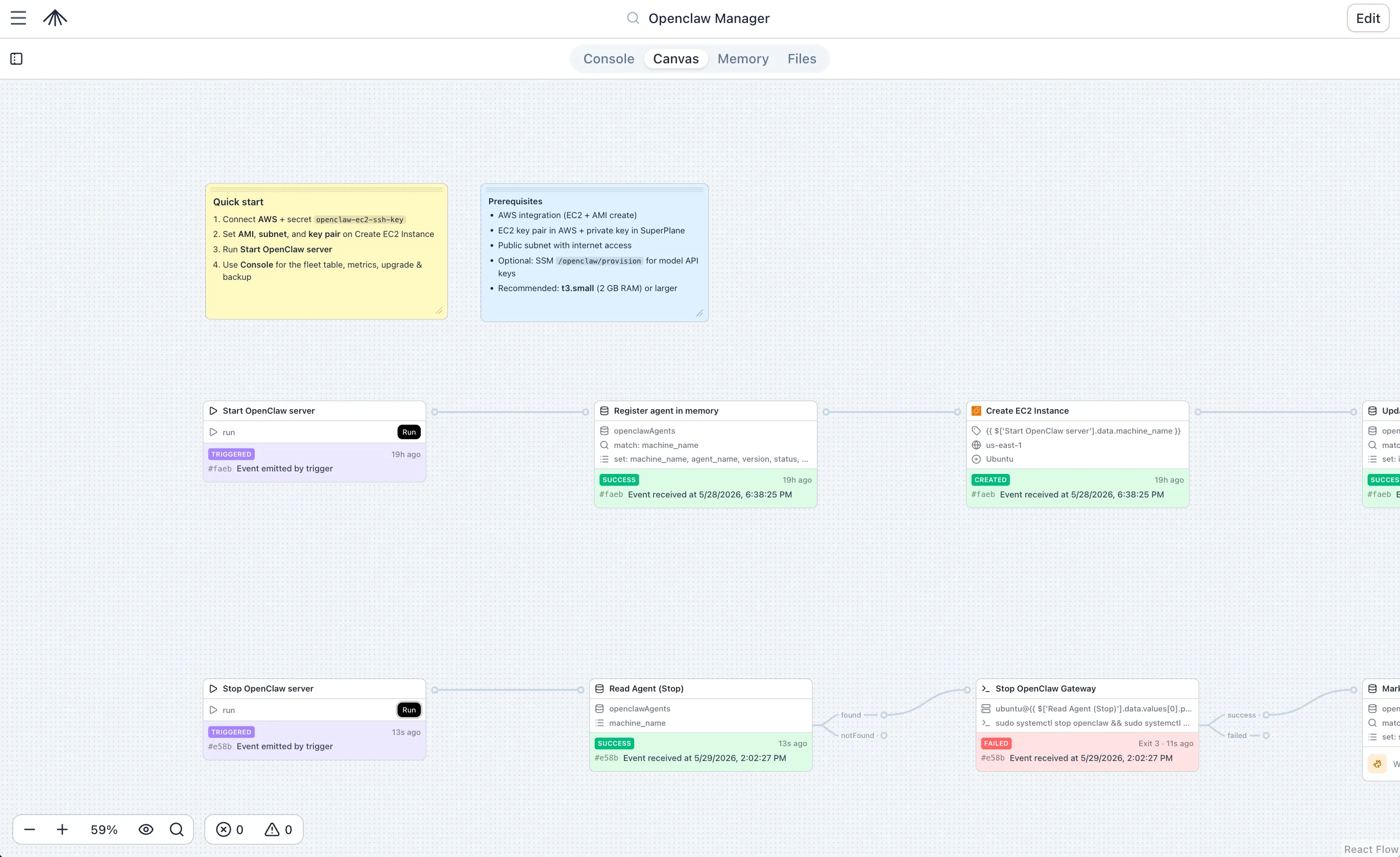
Each app brings together five core building blocks:
- Canvas — The workspace where you design and run workflows. It is a graph of nodes connected by subscriptions that define how events flow between steps. Unlike a linear pipeline, a Canvas is an infinite space that can hold multiple independent graphs and define multiple workflows, each with their own paths of execution.
- Console — The operational surface for the app. It turns workflow state into an at-a-glance view with dashboards, runbooks, tables of live data, and charts.
- Memory — Persistent, app-scoped storage for JSON data. Workflows can read and write to Memory to share state across runs and power Console dashboards.
- Files — The git repository backing the app. It stores the
canvas.yamlandconsole.yamldefinitions, along with any other files or scripts your app needs, enabling version control and infrastructure-as-code practices. - Agent — A built-in AI assistant that helps you design workflows, make canvas changes, and troubleshoot failed executions.
These building blocks work together to provide a complete platform for software engineering automation.
How building blocks work together
Section titled “How building blocks work together”When you build a SuperPlane app, the core components interact to create a complete operational tool:
- Events trigger workflows: An external event (like a GitHub push or a PagerDuty incident) triggers a node on the Canvas.
- Workflows process data: The Canvas executes the workflow, transforming data, calling external APIs, or waiting for human input.
- State is saved: Throughout the workflow, nodes can read and write JSON data to Memory, preserving state across runs.
- Operators monitor and act: The Console reads from Memory and live run data to display dashboards, KPIs, and actionable buttons for human operators.
- Everything is versioned: The entire configuration of the Canvas and Console is saved in the Files repository, allowing you to draft, commit, and publish changes safely.
- AI assists operations: The Agent can read the app’s state, inspect runs, and propose changes to the canvas to fix issues or add features.
This architecture means you do not just build a script—you build a fully operational application with its own UI, state, and version history.
Getting started
Section titled “Getting started”To get started with building your first app, see the Quickstart tutorial.